Which files does Dashmetrics work with?
Sentry Mode and Dashcam recordings that your Tesla saves to its USB drive, and the same clips saved to your phone remotely through the Tesla app. Copy a recording folder to your phone and open it in the app. Every camera angle in the folder is detected together, so you can switch between them without re-processing anything. Recordings the car has encrypted need one extra step first, described below.
My Tesla encrypts its recordings. Can Dashmetrics still read them?
Not while they are encrypted. Since software update 2026.20 Tesla encrypts Dashcam and Sentry recordings by default, and an encrypted file cannot be opened by Dashmetrics or any other player. There are four ways round it. Tap the padlock on a clip in the car's own Dashcam Viewer, which decrypts that clip where it sits — the quickest route for a single moment. Switch the setting off under Controls → Safety → Encrypt Dashcam Recordings, and everything recorded from then on is saved unencrypted. Decrypt in bulk at dashcam.tesla.com, where you sign in with your Tesla account and the files are decrypted locally in your browser for you to save. Or save clips to your phone through the Tesla app, which hands them over already decrypted. Once a clip is unencrypted it works in full here, telemetry included.
The Tesla app only saves 30 seconds at a time. Is that a problem?
No. The Tesla app saves one camera at a time and caps each save at 30 seconds, so a longer moment comes out as several pieces, and a second angle means going round again. Save as many pieces as you need — you do not have to line them up or trim the overlaps — then import them together. Dashmetrics reads the timing out of each file, puts them back in order, matches them by camera and joins them into one seamless timeline.
Where are the clips on the USB drive?
In the TeslaCam folder, split into RecentClips, SavedClips and SentryClips, with every saved event in a folder of its own. Inside that folder the recording is cut into one-minute segments, one file per camera per minute, so a five-minute event across six cameras is thirty files rather than six. That is why handing over the whole folder beats picking files by hand: Dashmetrics orders the segments, matches them by angle and joins them into one timeline. Leave the file names as Tesla wrote them — the camera angle is read from the name, so a renamed file cannot be placed correctly in the layout.
How do I get a clip into the app?
Three ways. Pick a whole event folder, which is the one we recommend, because the recording is split into one-minute segments per camera and the folder route puts them all back together automatically. Pick individual files from the Files app, or straight off the USB drive: with a USB-A to USB-C adapter the drive plugs into the iPhone and the clips can be read in place without copying them first. Or import from Photos, which is the route for clips saved remotely through the Tesla app. Whichever you use, it has to be the original file the car wrote.
A clip someone sent me over WhatsApp shows no telemetry. Why?
Because it is no longer the file the car wrote. The telemetry rides inside the original recording, and messaging apps and social platforms — WhatsApp, Telegram, Messenger, Instagram and the rest — re-compress a video before sending it. What arrives is a re-encoded copy with the data gone, and no app can recover it. The same applies to a clip re-exported by a video editor or run through a converter. Dashmetrics will still play such a file, there is simply nothing left to read. To keep the telemetry, move the original: the event folder off the USB drive, the file itself through Files or AirDrop, or the clip saved to Photos by the Tesla app.
Does it upload my footage anywhere?
No. Decoding, analysis and rendering all happen on the device. There is no account to create, no upload step and no server holding your clips. The app does not need a network connection to do any of the work.
What telemetry can it show?
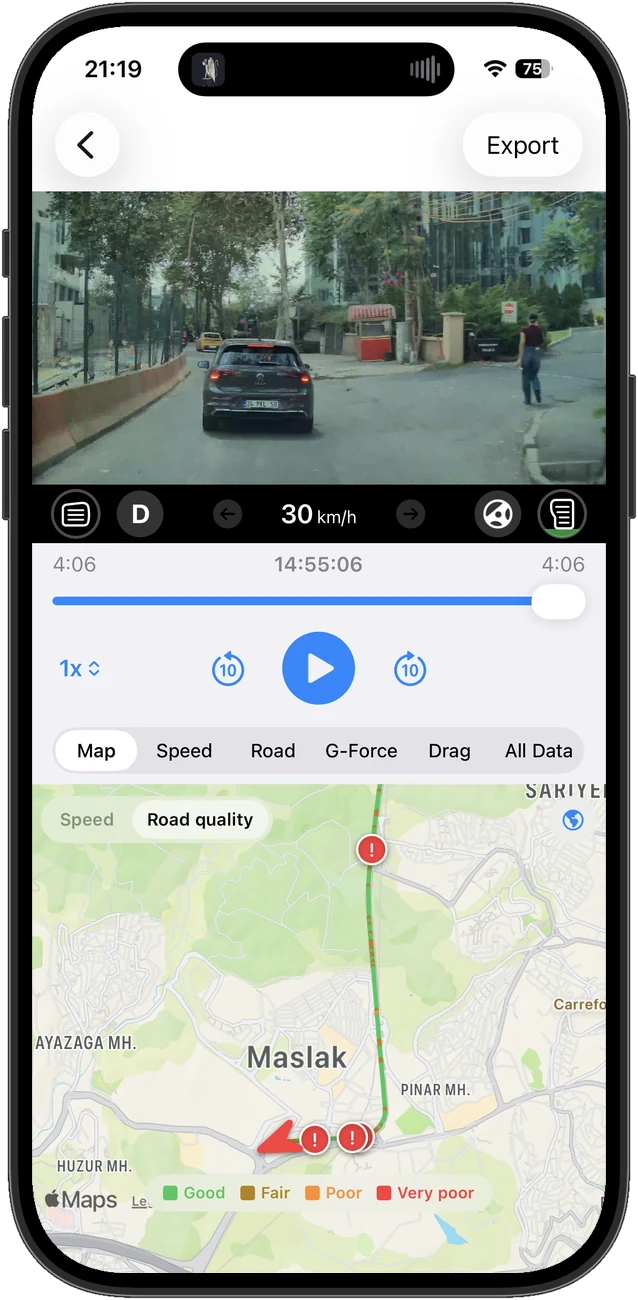
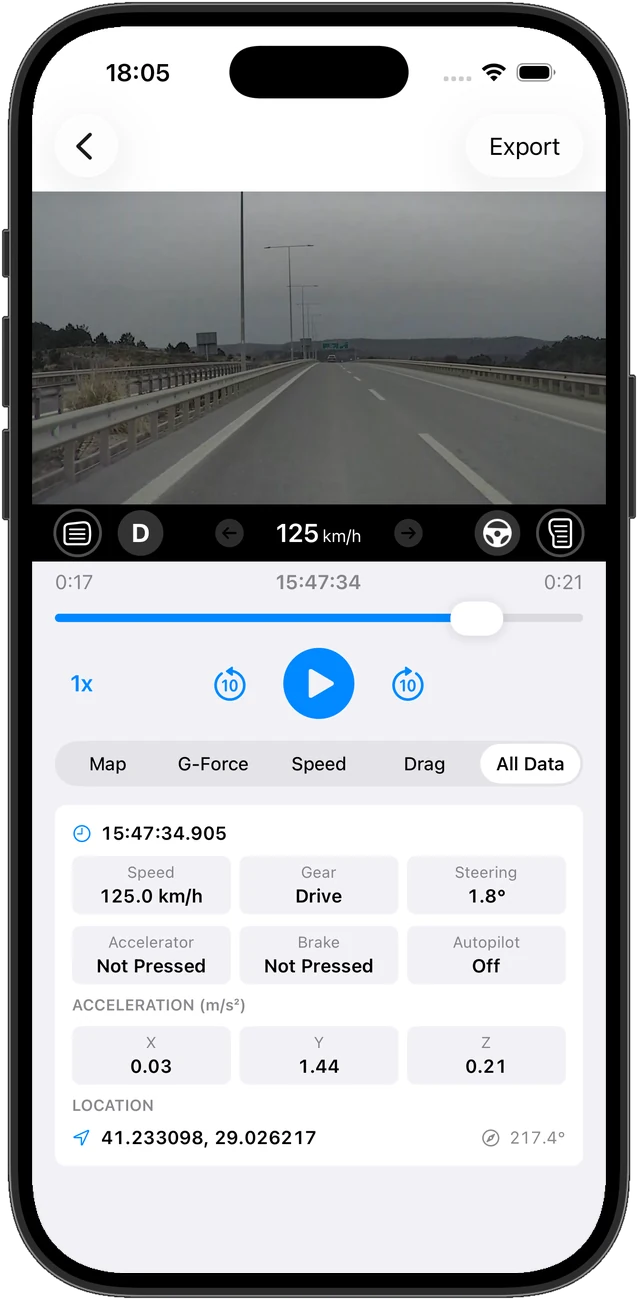
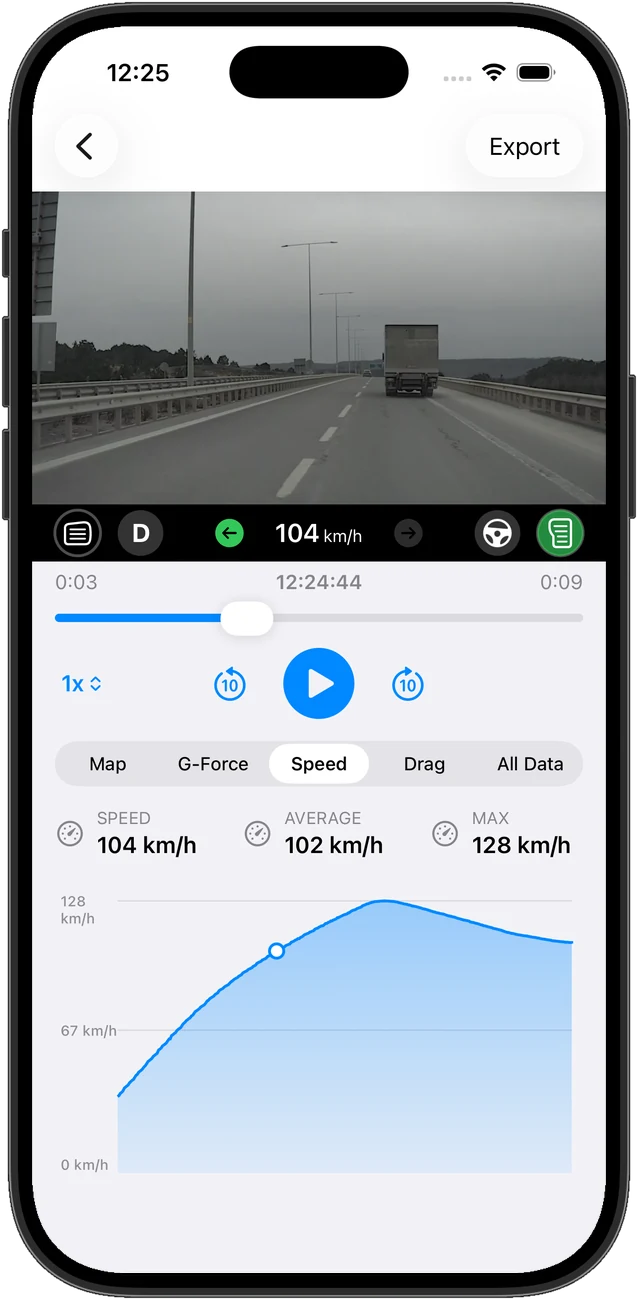
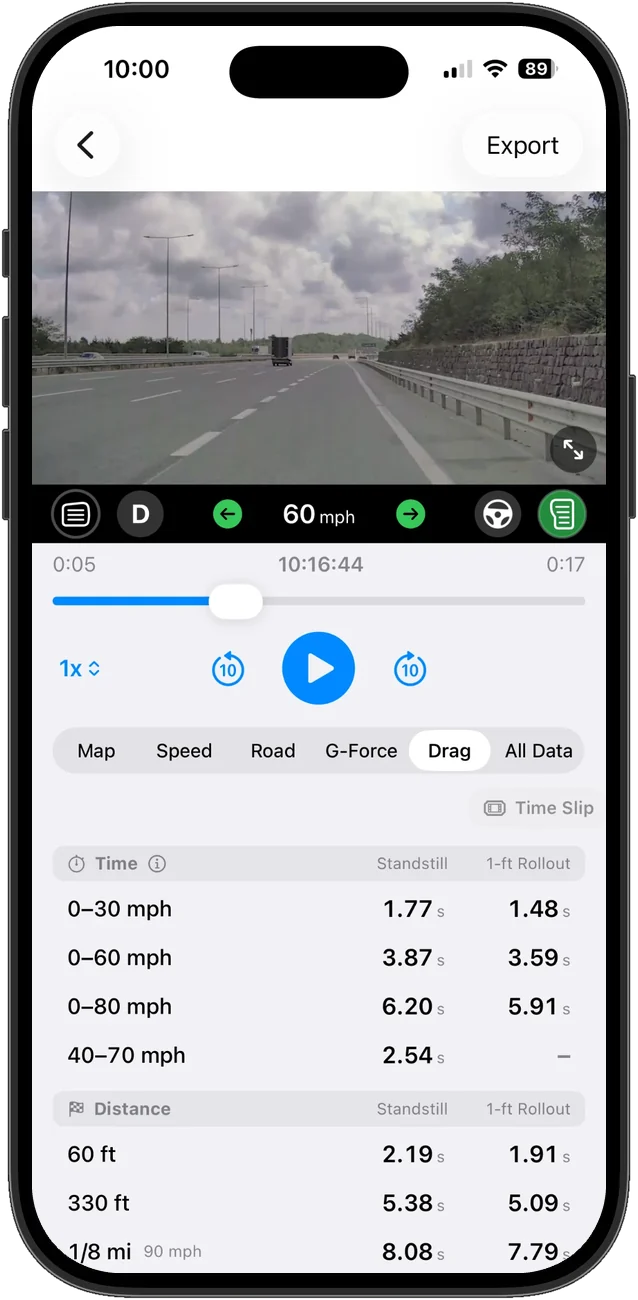
Speed, gear, steering angle, accelerator and brake input, autopilot state, three-axis acceleration, GPS coordinates and heading, for any frame of the clip. It also derives a speed curve, G-force readings, acceleration times and a road quality score, and can export the whole log as CSV.
How does road quality scoring work?
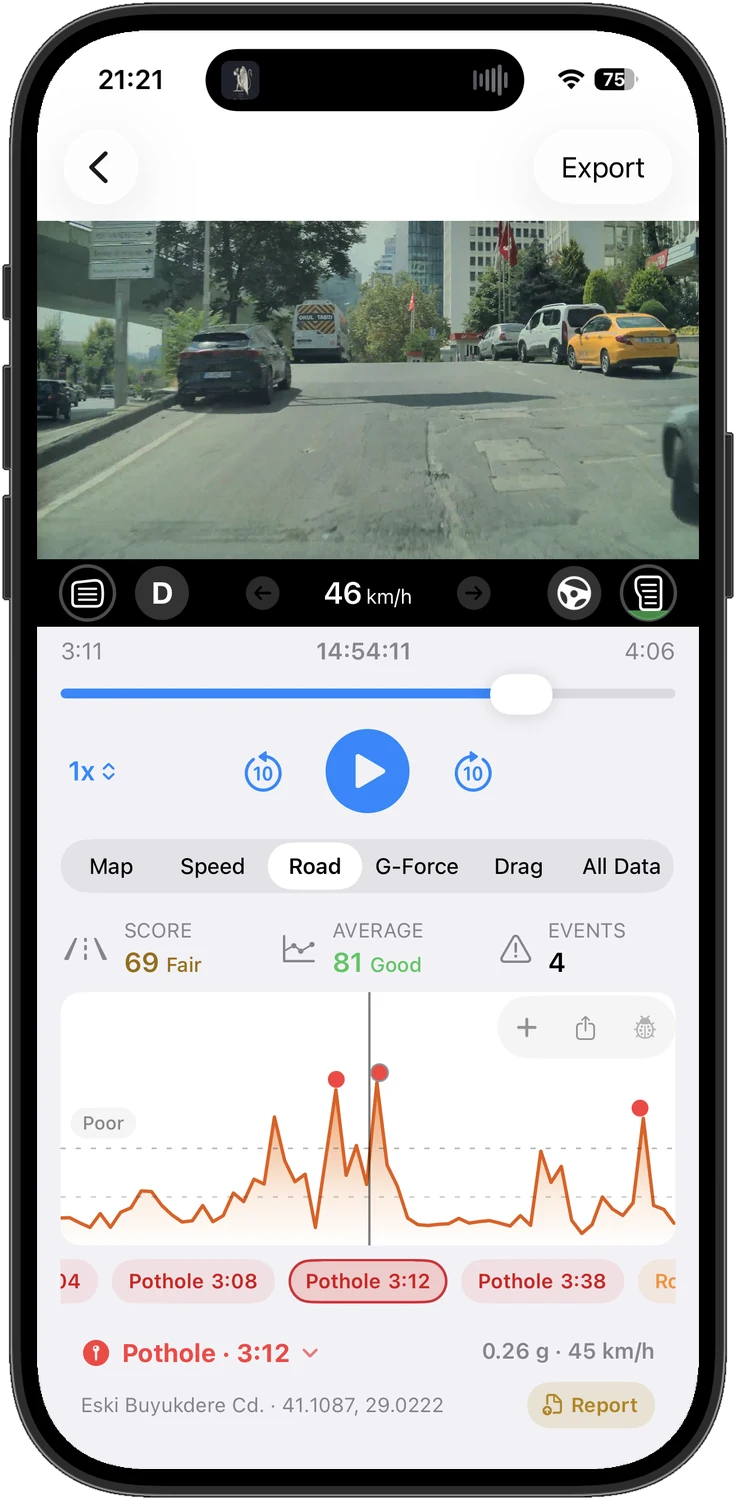
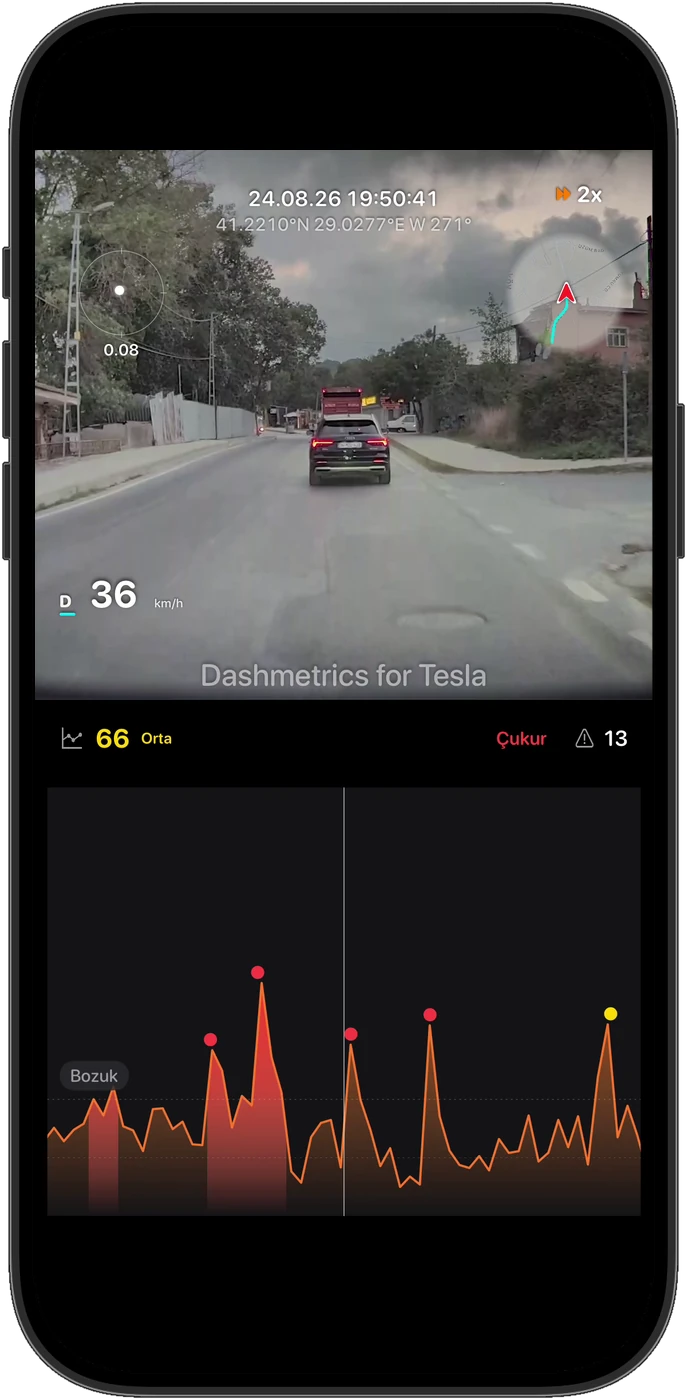
The vertical acceleration already recorded alongside the footage indicates how rough the pavement was. Dashmetrics turns that into a score for the clip, pins individual impacts such as potholes and speed bumps with the time, speed and coordinates, and marks sustained broken pavement as a range rather than a single point. Nothing needs to be mounted or calibrated.
What can I export?
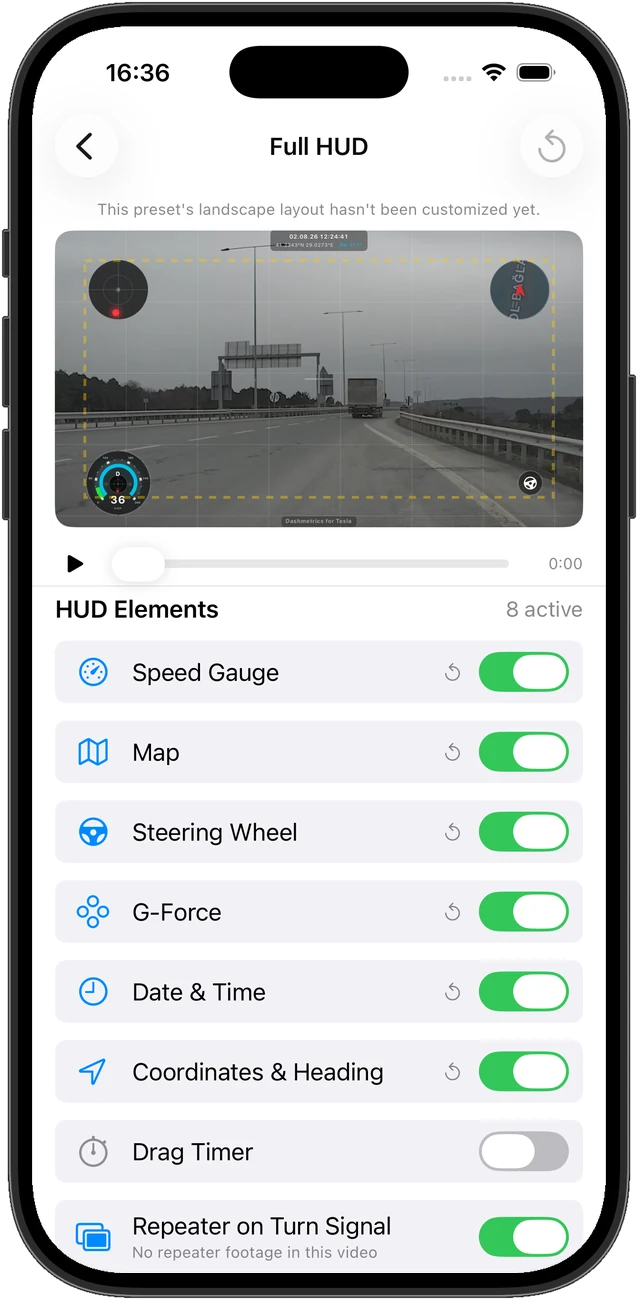
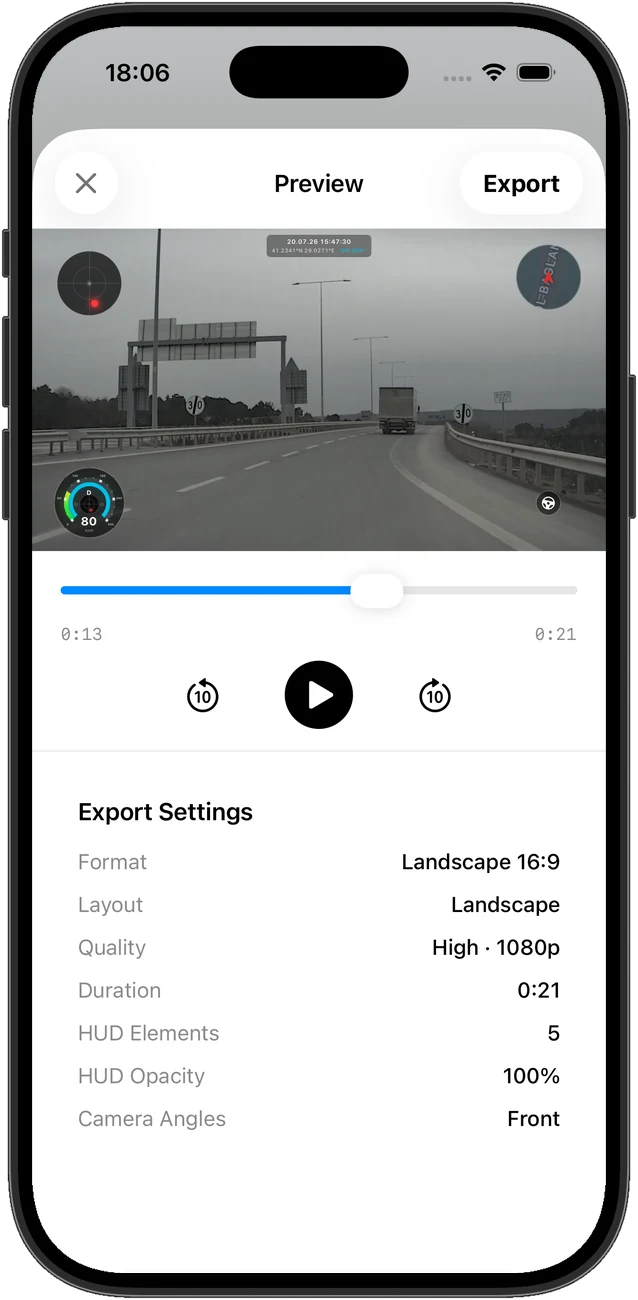
A video with your chosen HUD overlay in 16:9 or 9:16, up to 4K, and with several cameras either side by side in a grid or one after another full screen. From an acceleration run you can export a time slip: a drag-strip ticket as an image, in a time or a distance version. From the road quality analysis you can export a single finding — a pothole, a speed bump or a rough stretch — as a photo, a video or a PDF report carrying its address, coordinates and time, or the whole drive's findings as GeoJSON and CSV. The raw telemetry log exports as CSV too.
What is the time slip?
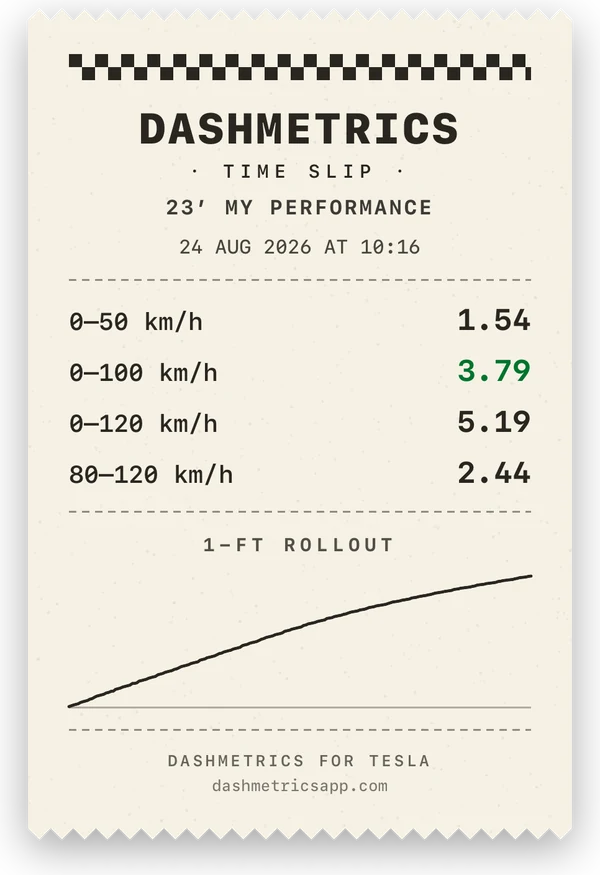
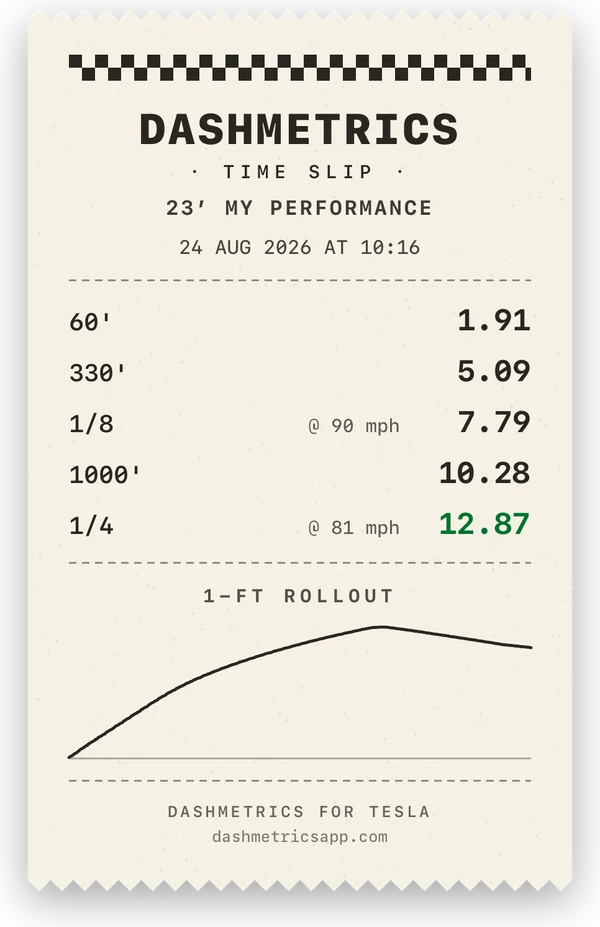
A shareable image of one acceleration run, laid out like the ticket a drag strip hands you, in two versions of the same pass: a time slip listing your speed ranges, and a distance slip listing the strip's marks from 60 ft to the quarter mile with their trap speeds. Every line comes from the same launch, the quickest one in the clip, and the curve underneath is that run. It states whether it was measured from a standstill or with a one-foot rollout, and can carry a line of your own text for the car or its plate — text that stays on your phone and only leaves it inside the image you share.
Can I try it without a Tesla clip?
Yes. Three real recordings ship with the app: a full-throttle launch, a minute of city driving and a multi-camera event. They open through the same import path as your own footage, and every paid feature is unlocked while one is loaded, so you can explore the telemetry, build a HUD and render a complete export before deciding anything. It is also the answer when a car turns out to be too old to write telemetry alongside its recordings.
Does it work in mph?
Yes. Switch the app to imperial and speeds, the HUD gauge, the acceleration ranges and the drag distance marks all follow: 0-30, 0-60, 0-80 and 40-70 mph, and 60 ft through to the quarter mile. On metric you get the km/h ranges and the 100, 200, 400 and 1000 m marks. The two families never mix, since a quarter-mile time means little to a driver who thinks in metres.
Is there an Android version?
An Android version is in development. The iOS app is on the App Store now.
How much does it cost?
Free to try. You can browse your clips, explore the telemetry and preview overlays without paying. A paid upgrade removes the watermark and unlocks full quality exports, every HUD template and road reports.